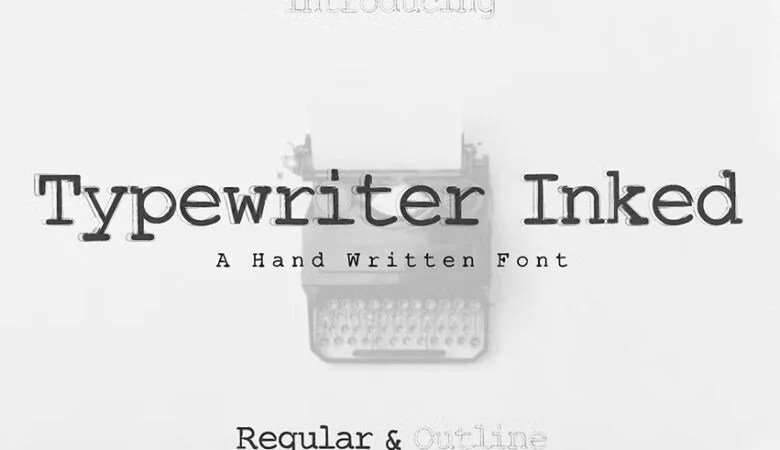
The crisp thwack of keys, the satisfying zzzzzing of the carriage return, the tangible ink pressed onto paper – there’s an undeniable romance to a vintage typewriter. More than just a writing tool, it's a character, a statement. But how do you truly make its output, its unique "font," sing? This guide will show you how to use and customize typewriter fonts on vintage machines, ensuring every word you type carries that authentic, charming imperfection we all adore.
At a Glance: Your Quick Guide to Typewriter Mastery
- Understand Your Machine: Learn the specific quirks and capabilities of your typewriter model.
- Master the Ribbon: The ribbon is key to print quality; learn to check tension, replace, and clean.
- Explore Typefaces: Discover if your machine allows for changing typefaces for a different look.
- Fine-Tune Alignment: Correct crooked letters or uneven spacing for a neater appearance.
- Consult Your Manual: Your typewriter’s original manual is your best friend for model-specific adjustments.
- Embrace Imperfection: Remember, the charm of a vintage typewriter lies in its unique, non-digital character.
Unlocking the Soul of Your Typewriter: Beyond Just Typing
Owning a vintage typewriter isn't just about banging out a novel or sending a unique letter; it's about connecting with a bygone era, experiencing the tactile joy of creation, and appreciating the mechanics behind each word. Unlike digital fonts, which offer infinite perfect replication, a typewriter's "font" is a dynamic interplay of metal, ink, paper, and mechanics. Customizing it isn't about clicking a menu; it's about hands-on adjustment, maintenance, and a touch of tender loving care.
Think of your typewriter as a musical instrument. Each component contributes to the final sound – or in this case, the final look of the text. From the precise strike of the typebar to the subtle texture of the paper, every element plays a role in defining the character of your output. Getting to know these components is the first step towards truly mastering your machine's unique voice.
The Art of the Impression: Adjusting Your Typewriter's "Font"
The term "typewriter font" can be a bit misleading when discussing vintage machines. Unlike digital fonts that are distinct files, on a physical typewriter, the "font" refers to the specific design of the metal typefaces (the little letters on the end of the typebars) combined with the quality of the impression they make. Customization, then, means manipulating these physical elements to achieve your desired aesthetic – from bold and crisp to soft and faded.
We're going to dive into the core components that dictate your typewriter's textual appearance: the ribbon, the typefaces themselves, and the machine's overall alignment. Each offers a distinct avenue for "customizing" your typed output.
The Ink of Life: Adjusting the Typewriter Ribbon for Perfect Print
Your ribbon is the lifeline of your typewriter's print quality. It's the source of the ink, and its condition and tension are paramount to producing clear, consistent characters. A worn-out ribbon, or one that's too loose or too tight, will quickly turn your elegant prose into a faint, patchy mess.
Here’s how to ensure your ribbon is always ready for its close-up:
- Check Ribbon Tension: Observe the ribbon as you type. Does it advance smoothly from one spool to the other? If it's too slack, the typebars might strike the platen directly or hit a sagging part of the ribbon, leading to faint or uneven letters. If it's too tight, it can put undue strain on the mechanism and even tear the ribbon, causing patchy spots. Most typewriters have a tension adjustment mechanism, often a small lever or screw near the spools. Consult your manual for its precise location and how to make subtle tweaks. The goal is a taut but freely moving ribbon.
- Inspect and Replace Regularly: Ribbons don't last forever. As you type, the ink gets used up, and the fabric itself can fray or dry out. If your letters are consistently faint, even with good tension, it’s a clear sign you need a new ribbon. Modern universal ribbons are widely available online or at specialty office supply stores, often in black, red/black, or even more adventurous colors like purple or green. Make sure to get the correct spool type or be prepared to re-spool a new ribbon onto your old metal spools – a slightly messy but rewarding task.
- Clean the Typebar Area: Over time, tiny fibers from the ribbon and dried ink can accumulate around the typebars and within the ribbon guides. This residue can obstruct the ribbon's smooth movement or even clog the typefaces themselves, leading to smudged or incomplete characters. A soft brush (an old toothbrush works wonders) or a small, non-fraying cloth can be used to gently sweep away any debris. Be careful not to bend any delicate parts. Regular cleaning ensures unimpeded ink transfer and clean strikes.
A fresh ribbon and a clean mechanism can dramatically rejuvenate your typewriter's output, making your text look vibrant and intentional.
A New Look: Changing the Typeface on a Typewriter (When Possible)
This is perhaps the closest you can get to "changing fonts" on a vintage machine in the digital sense. However, it's crucial to understand that not all typewriters allow for easily interchangeable typefaces. Most machines come with a fixed typeface, permanently attached to their typebars. Machines like the IBM Selectric, with its iconic "golf ball" element, or certain early word processors, offered swappable typefaces. If you happen to own one of these models, you're in luck!
If your typewriter does allow for typeface changes, here’s the general approach:
- Find Compatible Typefaces: This is the biggest hurdle. You'll need to source new typefaces specifically designed for your typewriter model. Online marketplaces, specialized typewriter repair shops, or collector forums are your best bet. Compatibility is key – a Selectric "golf ball" won't fit a Hermes 3000, for instance.
- Remove the Current Typeface: Carefully consult your typewriter's manual for precise instructions. For "golf ball" typewriters, this usually involves rotating the element to a specific position and then gently lifting or unscrewing it. Keep any small retaining clips or screws in a safe place. For machines with more complex interchangeable systems, the process will vary significantly.
- Install the New Typeface: Align the new typeface element with the mechanism, ensuring it seats snugly and securely. Follow the manual's guidance for reattaching any securing parts. Once installed, type a few lines to test its alignment and the quality of the impression. You might need to make minor adjustments to ensure each character prints evenly.
Changing a typeface can fundamentally alter the personality of your typewriter's output, offering a truly custom visual experience.
Straight Talk: Fixing Alignment Issues for Neat Text
Nothing detracts from the beauty of a typed page like crooked lines, uneven letter spacing, or characters that seem to float above or below the baseline. These are alignment issues, and while they can sometimes add to the "vintage charm," consistently poor alignment indicates a mechanical problem that can often be fixed.
Here’s how to diagnose and address common alignment problems:
- Identify the Problem: Start by typing a few sentences, perhaps on a grid paper, to clearly observe any inconsistencies. Are all letters on the same baseline? Is the spacing between words and letters consistent? Are some characters consistently printing higher or lower, or is the entire line slanted? This helps narrow down the source of the issue.
- Examine Carriage Movement: The carriage, which moves the paper across as you type, needs to glide smoothly and consistently.
- Clean Carriage Rails: Dust, old oil, and grime can accumulate on the rails, causing the carriage to stick or move unevenly. Use a soft, lint-free cloth and a tiny bit of mineral spirits (if recommended by your manual) to gently clean the rails.
- Check for Loose Parts: Gently inspect the carriage return lever and associated mechanisms. Sometimes, a loose screw or a bent component can affect the carriage's precise movement.
- Adjust Tension: Some typewriters have adjustments for carriage tension, ensuring it moves uniformly. Refer to your manual if you suspect this.
- Inspect the Platen: The platen is the rubber roller around which the paper wraps. A worn, hardened, or misaligned platen can cause uneven impressions or paper feed issues.
- Rotation: Ensure the platen rotates freely and evenly when you advance the paper.
- Condition: If the rubber is hard, pitted, or has flat spots, it might need to be re-covered or replaced by a specialist. This is a more advanced repair but can significantly improve print quality.
- Alignment: Check if the platen is perfectly parallel to the typebars. Minor adjustments might be possible via screws at the ends of the platen shaft, but again, consult your manual first.
- Check Paper Feed Mechanism: The paper guides and rollers are responsible for holding the paper straight as it feeds through the machine.
- Adjust Paper Guides: Ensure the paper guides are snug against the paper, preventing it from skewing. If they are loose, they might need tightening or adjustment.
- Clean Feed Rollers: Old paper dust can accumulate on the feed rollers, reducing their grip and causing the paper to slip or feed unevenly. Clean them gently with a damp cloth.
Correcting alignment issues brings a professional crispness to your typewritten pages, making them a joy to read.
Your Personal Guide: Using Manual Instructions to Adjust Typewriter Settings
This might sound obvious, but your typewriter's original manual is an invaluable resource – a treasure trove of model-specific wisdom. It’s written by the very engineers who designed your machine and holds the key to its optimal performance.
Here’s why it’s non-negotiable:
- Consult the Manual First: Before you start unscrewing things or forcing levers, find your typewriter's manual. Many are available online as PDFs if you don't have the original. It provides model-specific diagrams, explanations, and step-by-step instructions for everything from loading a ribbon to adjusting typebar tension or carriage movement. Generic advice is a good starting point, but the manual is the definitive answer for your machine.
- Familiarize Yourself with Features: Read through the sections on routine maintenance, troubleshooting, and special features. You might discover functions you never knew your machine had, or find solutions to minor annoyances before they become major problems. It's like finding a secret menu for your vintage device.
- Unlock Full Potential: By understanding the intended functionality and adjustment points detailed in the manual, you can unlock the full capabilities of your typewriter. This isn't just about fixing problems; it's about optimizing performance to ensure you consistently produce beautiful, crisp, and uniquely "fonted" text that reflects the quality your machine was designed to deliver.
Embracing the Digital Aesthetic: When Vintage Meets Modern
While this guide focuses on the authentic, hands-on experience of using and customizing physical typewriter fonts on vintage machines, it's worth acknowledging the pervasive influence of this aesthetic in the digital world. Many people adore the charm of typewritten text – the slight irregularities, the subtle ink bleed, the robust monospaced characters – but might not own a physical machine or require the convenience of digital creation.
For those who seek to replicate that classic look in their digital projects, graphic designers and font foundries have created a vast array of digital "typewriter fonts." These fonts skillfully mimic the imperfections and distinct styles of classic typewriters, offering different levels of distressed effects, monospaced designs, and even variations that simulate different ribbon conditions. If you're looking to generate typewriter fonts digitally for graphic design, web content, or print publications without the grease of a physical machine, the digital realm offers powerful tools to capture that vintage vibe. It's a testament to the enduring appeal of typewriters that their visual language continues to inspire and evolve across different mediums.
Beyond the Basics: Advanced Customization and Care
Once you’ve mastered the fundamental adjustments, you might be curious about pushing the boundaries further or maintaining your machine for longevity.
Paper Choices: The Unsung Hero of Print Quality
The paper you choose significantly impacts the final look of your "typewriter font."
- Weight and Texture: Thicker, smoother papers tend to produce crisper impressions with less bleed-through. Thinner or more textured papers can yield a softer, slightly more diffused look, which some might prefer for a truly aged aesthetic. Experiment with different paper stocks to see how they interact with your machine and ribbon.
- Carbon Copies: For a truly vintage experience, try using carbon paper. The pressure of the typebar pressing through the original sheet onto the carbon paper below creates a distinct, often slightly fainter, impression on the copy, adding another layer of authenticity.
Understanding Machine Wear and Tear
Every vintage machine has a story, and sometimes that story involves minor imperfections in its mechanics.
- Subtle Bends: A typebar might be slightly bent, causing one specific character to print consistently askew. While a professional repair person can often straighten these, it's something to be aware of. Sometimes, a slight imperfection adds to the unique character, much like a signature.
- Worn Linkages: Internal linkages and springs can wear over decades of use. This might manifest as inconsistent key action, ghosting (where a character prints twice very faintly), or other subtle issues. Regular cleaning and judicious lubrication (using typewriter-specific oil, never WD-40 or similar penetrating oils) can help, but some wear is simply part of owning a vintage item.
Troubleshooting Common "Font" Quirks (and Loving Them)
Even with careful adjustment, typewriters have their quirks. Knowing what to expect – and how to either fix or embrace it – is part of the experience.
- The "Ghost" Character: Sometimes a faint impression of a character appears when another key is struck. This often indicates excessive play in the typebars or a worn ribbon. Cleaning and adjusting tension can help, but sometimes it's a permanent feature of a well-loved machine.
- Uneven Impression Pressure: Certain keys might consistently print darker or lighter than others. This could be due to a slightly bent typebar, uneven spring tension for that specific key, or even your typing style. Try to vary your pressure or simply accept it as part of your machine's unique handwriting.
- The Shift Lock Struggle: If uppercase letters are consistently misaligned, check your shift mechanism. It might not be fully engaging or disengaging, causing the carriage to sit slightly off-kilter when shifted. A good clean and lubrication of the shift linkages can often resolve this.
Preserving Your Legacy: Long-Term Care for Your Vintage Typewriter
To ensure your ability to "customize" your typewriter's output for years to come, proper care is essential.
- Regular Cleaning: Dust is the enemy of fine mechanics. Use a soft brush and compressed air (carefully) to keep dust out of the mechanisms.
- Judicious Lubrication: Consult your manual for specific lubrication points and recommended lubricants. Never over-lubricate, as this attracts more dust and can gum up delicate parts. A tiny drop in the right place is often all that's needed.
- Safe Storage: When not in use, keep your typewriter covered to prevent dust accumulation. Store it in a stable environment, away from extreme temperatures or humidity, which can warp platens or corrode metal.
- Professional Servicing: Just like a vintage car, a vintage typewriter benefits from occasional professional servicing. A skilled typewriter technician can address deeper mechanical issues, re-cover platens, and ensure everything is finely tuned. Consider it an investment in your machine's artistic longevity.
Your Typed Story Awaits
Mastering the nuances of your vintage typewriter's "font" isn't about achieving digital perfection; it's about understanding and working with a beautiful, mechanical object. It's about finding satisfaction in the deliberate act of creation, in the tangible result of ink on paper, and in the unique character that only a physical machine can impart.
By adjusting the ribbon, paying attention to alignment, exploring typeface options, and diligently consulting your manual, you gain not just control over your typewriter's output, but a deeper connection to the craftsmanship of these incredible machines. So, thread a new ribbon, clean those typebars, and let your vintage machine tell your story, one perfectly imperfect word at a time. The world of authentic, typewritten text awaits your touch.